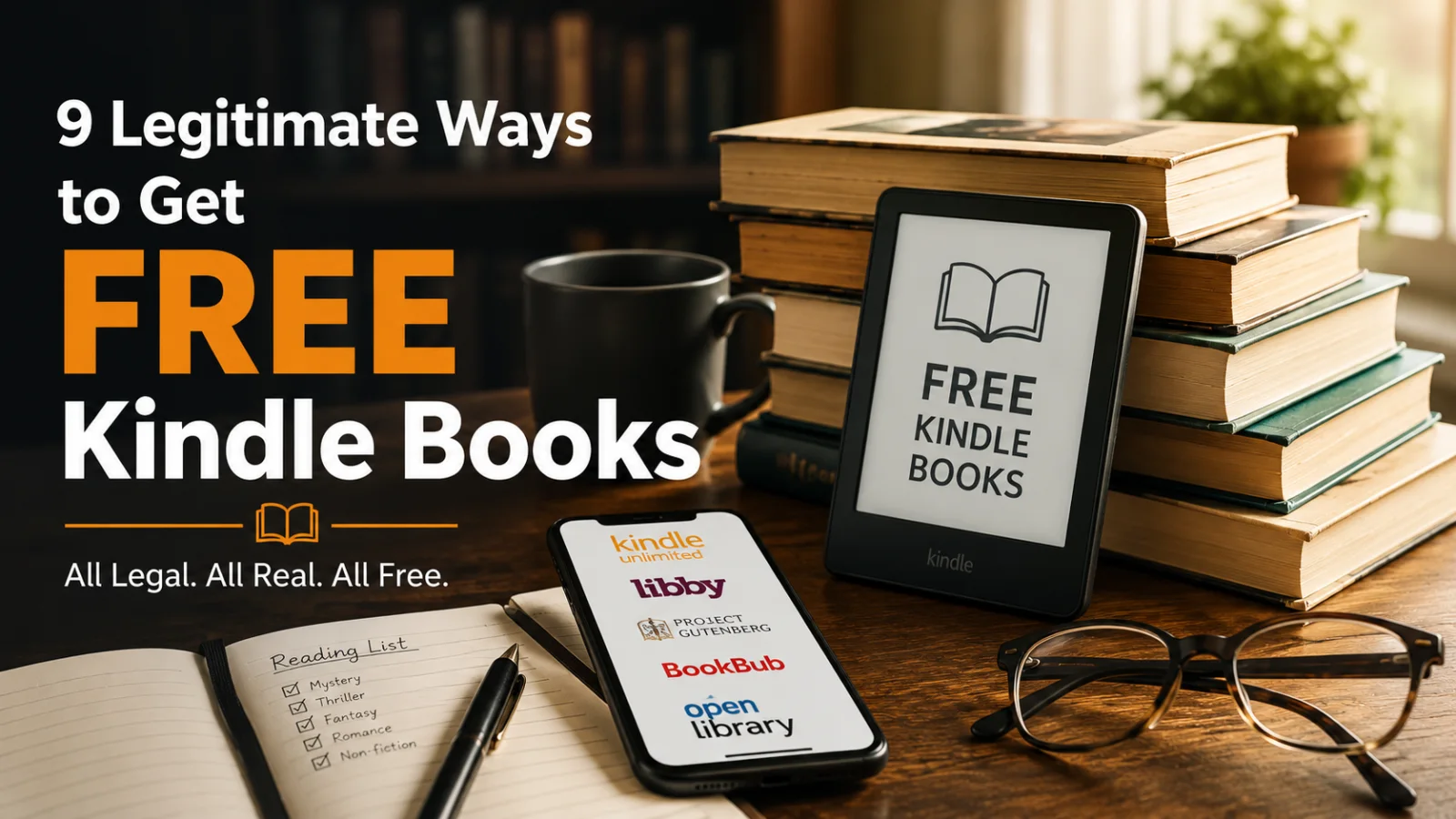
The average American spends $84 per year on ebooks. That number will surprise readers who've never looked closely at how many legitimate ways exist to get free Kindle books — not pirated files, not sketchy downloads, but books that cost nothing through programs that have been running quietly for years inside and alongside Amazon's ecosystem.
Some of these methods are obvious. Most people know Kindle Unlimited exists. Fewer people know exactly what it includes, when the free trial is available, and how to get the most books out of the 30-day window before a decision needs to be made. Fewer still know about Project Gutenberg's Kindle-formatted library, the library apps that put tens of thousands of ebooks on any device for free, the KDP free days that send full-length novels to zero for 24 to 72 hours, or the BookBub alert system that delivers the best deals directly to an inbox organized by genre.
This guide covers all nine methods in enough detail to use them today. Not in theory. In practice — with the exact links, the exact steps, and the honest assessment of what each method delivers and who it works best for.
|
60,000+ free ebooks available through Project Gutenberg alone — all legal, all permanent |
500K+ titles currently in Kindle Unlimited — available free to subscribers |
$0 cost per book using library apps like Libby — if you have a library card |
All 9 Methods at a Glance
Before going into detail on each method, here's the complete picture. Different readers need different things — someone who reads five books a month needs a different strategy than someone who reads five books a year.
| Method | Cost | Books Available | New Releases? | Best For |
|---|---|---|---|---|
| Kindle Unlimited (free trial) | Free 30 days | 500K+ | Some | Readers who want to sample KU before subscribing |
| Amazon Free Books Section | Always free | 10,000+ | Yes (KDP days) | Casual readers, genre fiction fans |
| Project Gutenberg | Always free | 60,000+ | No (classics only) | Classic literature lovers |
| Libby (Library App) | Free (library card) | Millions | Yes | Anyone with a public library card |
| BookBub Deal Alerts | Free | Daily deals | Yes | Genre readers who want curated deals |
| Open Library | Free | 3 million+ | Limited | Non-fiction, research, hard-to-find books |
| Standard Ebooks | Always free | 700+ | No (classics only) | Readers who want beautifully formatted classics |
| ManyBooks | Free | 50,000+ | Some indie | Readers who want a curated free catalog |
| Kindle Daily Deal | $0–$1.99 | 1 per day | Yes | Readers who want new commercial fiction cheaply |
Method 1: Amazon's Free Kindle Books Section
Amazon maintains a permanently free section inside the Kindle Store that most readers don't know exists as a distinct browsable category. It sits quietly behind a filter — go to the Kindle Store, search for any genre, then filter by price: $0.00. The result is a real-time list of every free Kindle book currently available in that category.
What's in there? Two types of books. First, books that authors have made permanently free as series starters — book one of a romance, thriller, or fantasy series, priced at zero permanently to pull readers into the rest of the series at full price. These are often genuinely good books. Authors don't give away the first book of a series they care about unless they believe it will earn readers who buy what comes next. Second, books currently in a KDP free promotion window — books that are free for 1 to 5 days because the author is using their KDP Select free days to generate downloads and reviews. These rotate constantly.
How to find them right now: Go to amazon.com/free-kindle-books, or open your Kindle app, tap Store, select a genre, and sort by "Price: Low to High." Every $0.00 result is a free Kindle book available for immediate download.
What to watch out for: Quality varies enormously in the free section. The best strategy is to filter by reviews — sort free books by average review rating and look for titles with at least 50 reviews at 4 stars or above. A free book with 300 four-star reviews is a different proposition from a free book with 3 reviews of unknown origin.
Pro tip: Check the free section on Tuesday mornings. Many KDP authors schedule their free promotion days to start on Tuesday — it's the day with historically the highest download conversion in the author community. Tuesday mornings at the start of a week often have the freshest rotation of temporarily free books.
Method 2: Kindle Unlimited Free Trial — Getting Maximum Value in 30 Days
Kindle Unlimited is Amazon's ebook subscription service: $9.99 per month for unlimited access to over 500,000 titles. The free trial gives new subscribers full access for 30 days at no cost. The question most readers don't ask before starting a trial is: how do I get the most out of 30 days?
The answer requires understanding how Kindle Unlimited actually works. Unlike a physical library where you borrow one book at a time, Kindle Unlimited allows up to 10 simultaneous borrows at once. You can have 10 books actively downloaded to your device at the same time. You return one when you want to pick up another. This means the ceiling on a free trial is not "one book" — it's as many books as you can read in 30 days, with up to 10 at a time.
What's in Kindle Unlimited: The 500,000+ title library skews heavily toward indie-published genre fiction. Romance, thriller, cozy mystery, fantasy, and science fiction are the strongest categories. Traditionally published bestsellers from major publishers are generally not in KU — you won't find the latest Stephen King or Colleen Hoover title there. What you will find is a deep catalog of series-based genre fiction, many of which are genuinely excellent and most of which cost $4.99 to $7.99 if purchased outside the subscription.
Best strategy for a free trial: Before starting the trial, build a reading list of KU-enrolled titles you want to read. Search your preferred genres, filter for Kindle Unlimited availability (the "Kindle Unlimited" badge appears on eligible titles), and save them to your wishlist. On day one of the trial, download your first 10. As you finish each one, return it and download the next from your list. A reader who finishes two books per week can read eight books in 30 days. Eight KU books at an average price of $5 each is $40 worth of reading at no cost.
How to start the trial: amazon.com/kindle-unlimited — the free trial option appears for accounts that haven't previously subscribed. Amazon offers it periodically to lapsed subscribers as well, so it's worth checking even if you've subscribed before.
What happens at day 31: The subscription automatically converts to paid at $9.99/month unless cancelled. Set a calendar reminder for day 28. Cancel before day 31 if you don't want to continue. All downloaded books remain accessible until the subscription ends — on day 30, you can finish what you're reading.
Method 3: Project Gutenberg — 60,000 Free Ebooks for Kindle
Project Gutenberg is the oldest digital library in existence. Founded in 1971 by Michael Hart, it has spent over fifty years converting out-of-copyright books into digital formats. In 2026, it hosts over 60,000 free ebooks — all works whose copyright has expired, which means everything published before roughly 1928 in the United States.
The catalog reads like the greatest English-language literature ever written: Jane Austen, Charles Dickens, Mark Twain, Oscar Wilde, Arthur Conan Doyle, H.G. Wells, Jules Verne, Leo Tolstoy, Fyodor Dostoevsky, Homer, Dante, Shakespeare. Every single one of these, and thousands more, available as a free Kindle ebook download right now.
How to get them onto your Kindle: Go to gutenberg.org, search for any title or author, and on the book's page select the "Kindle" format from the download options. This downloads a .mobi or .epub file. Send it to your Kindle using the "Send to Kindle" feature: go to send.amazon.com, upload the file, and it will appear in your Kindle library within minutes. Alternatively, connect your Kindle to a computer via USB and drag the file into the documents folder.
What Project Gutenberg does exceptionally well: The catalog is deep in areas most commercial ebook stores don't cover adequately. Public domain philosophy, historical texts, classic science fiction from the 19th and early 20th centuries, complete works of authors rather than individual titles, and books in dozens of languages. If you want every Sherlock Holmes story ever written, Project Gutenberg has the complete canon in one download.
The honest limitation: The formatting on Project Gutenberg files varies considerably. Some titles have been carefully edited and format beautifully on a Kindle. Others are plain text conversions with inconsistent paragraph breaks. For readers who want better formatting of classic texts, Standard Ebooks (Method 7) produces higher-quality versions of many of the same titles.
Method 4: Libby — Your Public Library's Free Kindle Books
Libby is an app developed by OverDrive that connects to public library systems in the United States, Canada, the United Kingdom, Australia, and dozens of other countries. If you have a public library card — which is free at almost every public library in the US — Libby gives you access to your library's entire ebook catalog at no additional cost.
The scale of what this means is underappreciated. The New York Public Library's Libby catalog contains over 300,000 ebook titles, including recent bestsellers, academic texts, non-fiction, graphic novels, and children's books. The Los Angeles Public Library, the Chicago Public Library, and most major urban library systems have similarly large digital collections. Many Kindle ebook bestsellers — including titles from major publishers that don't appear in Kindle Unlimited — are available through Libby.
How to set it up: Download the Libby app (iOS or Android) at libbyapp.com. Sign in with your library card number and PIN (your library will provide these — many libraries allow you to get a digital card instantly online without visiting in person). Search for any title. If your library has it, borrow it. Libby loans are typically 14 to 21 days. When the loan expires, the book automatically returns — no late fees, no returns needed.
Reading Libby books on Kindle: Libby integrates directly with Amazon. When borrowing a title, select "Read with Kindle" and the book will appear in your Kindle library as a borrowed title for the loan duration. This works on any Kindle device or the Kindle app.
What if the book has a waitlist? Popular new releases often have waitlists at libraries — sometimes weeks long. The two strategies for managing this: place holds on multiple titles simultaneously (Libby lets you hold up to 10 at once at most libraries, and you can borrow from multiple library systems if you have cards for more than one), and use the "suspend hold" feature to pause a hold when you're not ready to read yet so you don't lose your place in line.
One underused feature: Many library systems also provide access to audiobooks through Libby at no cost. The same library card that gives you free Kindle ebooks also gives you free audiobooks. For commuters and people who listen rather than read, this is significant.
Method 5: BookBub — The Best Free Kindle Book Alert System
BookBub is not a library or a free book platform. It's a deal alert system that emails subscribers daily notifications about ebooks available for free or deeply discounted — organized by genre. Over 10 million readers use BookBub alerts. Understanding how to use it correctly changes the economics of reading permanently.
When you sign up at bookbub.com, you select the genres you read. Each day, BookBub sends one email containing the day's featured deals in your selected genres — typically three to six titles, a mix of free and deeply discounted ($0.99 to $1.99). These deals are available across all ebook platforms including Amazon Kindle, Apple Books, Kobo, and Google Play.
The key difference between BookBub and the Amazon free section: BookBub's featured deals are editorially curated and require author/publisher application and BookBub editorial approval. The selection rate is approximately 10 to 20% — most books that apply for a BookBub feature don't get one. The result is that BookBub-featured free and discounted books tend to be meaningfully better than the average free book in Amazon's open catalog. BookBub's editorial team is selecting for reader appeal, review quality, and genre fit.
How to maximize BookBub: Sign up for every genre you read, not just your primary one. A thriller reader who also occasionally reads historical fiction should add both. The email is short — scanning three to six titles takes fifteen seconds. If nothing appeals, delete. If something does, click through to Amazon and download before the deal ends (most BookBub deals last 24 to 72 hours). Over a year of daily deal emails, a reader in two or three genres will accumulate 50 to 100 free or near-free books from curated recommendations.
One more feature: BookBub lets you follow specific authors. When an author you follow has a deal or a new release, BookBub notifies you. For readers who've discovered authors through deals and want to track their new books without checking Amazon manually, the author follow feature is genuinely useful.
Readers looking for more curated discovery tools — particularly for finding indie authors in specific genres — should also look at how Amazon's recommendation engine surfaces books inside the Kindle library, which covers the algorithmic side of discovery that BookBub's editorial approach complements.
Method 6: Open Library — 3 Million Free Books Including Recent Titles
The Internet Archive's Open Library at openlibrary.org operates on a controlled digital lending model: the library holds a physical copy of a book and lends the digital version to one reader at a time. When the loan period ends (typically 14 or 21 days), the book returns automatically.
This model has been legally contested by publishers — a federal court ruled against the Internet Archive's expanded lending during COVID in 2023, and the library reduced its simultaneous loan capacity significantly. What remains is still substantial: over 3 million books available for borrowing, including many titles published in the last ten years that don't appear in other free services.
Open Library is particularly strong for non-fiction. Academic texts, history, biography, politics, and science that might cost $15 to $30 on Amazon are often available here for a two-week loan at no cost. For a reader working through a reading list on a specific topic, Open Library can eliminate significant cost.
How it works with Kindle: Open Library loans are not native Kindle format — they deliver in ePub or PDF, which requires sending to Kindle via the Send to Kindle service or reading through a compatible app. Slightly more friction than the other methods, but manageable for non-fiction readers who aren't mid-series.
Method 7: Standard Ebooks — The Best Formatted Free Classics
Standard Ebooks at standardebooks.org does something specific and valuable: it takes public domain texts — the same books available on Project Gutenberg — and produces professionally formatted, typographically refined ebook versions. Cover art. Proper chapter navigation. Consistent paragraph spacing. The kind of formatting that makes reading on a Kindle feel like reading a real book rather than a text file.
The catalog is smaller than Gutenberg (around 700 titles compared to 60,000) because every book is formatted by hand by volunteers following strict style guidelines. What it lacks in breadth it makes up in quality. For classic literature that you plan to read seriously rather than sample — the complete works of Tolstoy, all of Jane Austen, the full Sherlock Holmes canon, Proust's In Search of Lost Time — Standard Ebooks' versions are meaningfully better reading experiences than Gutenberg's conversions.
Downloads are available in Kindle-compatible format directly from the book's page. No account required. No waiting. Click, download, send to Kindle.
Method 8: ManyBooks — A Curated Free Ebook Catalog
ManyBooks.net aggregates free ebooks from multiple public domain and Creative Commons sources — including Project Gutenberg — and adds a layer of curation, categorization, and discovery that makes browsing easier than Gutenberg's interface. The catalog of 50,000+ titles is browsable by genre, rating, and popularity.
ManyBooks also includes some contemporary indie-published titles that authors have chosen to distribute for free. The genre fiction sections — particularly romance and science fiction — have more modern free titles than Gutenberg, though the selection is smaller than Amazon's free section. For readers who find Amazon's free section overwhelming in scale and want a more curated starting point, ManyBooks provides a cleaner browsing experience.
Kindle-formatted downloads are available directly. Registration is optional — browsing and downloading works without an account.
Method 9: The Kindle Daily Deal — When $1.99 Is Essentially Free
Strictly speaking, the Kindle Daily Deal is not free — Amazon discounts one book per day to $1.99 or below, not $0.00. But for readers evaluating the daily free options and finding nothing that matches their taste, the Daily Deal slot is worth checking. A book that normally retails at $12.99 available at $1.99 is, for practical purposes, close enough to free that it belongs in this conversation.
The Daily Deal rotates at midnight Pacific Time every day. Amazon promotes it on the Kindle Store homepage, through dedicated email alerts (opt in at your Amazon account preferences), and through the Kindle app's deals section. The selection is editorially curated — Amazon's team chooses each day's title, which generally means a higher quality floor than the average free book in the open catalog.
For a complete breakdown of how the Daily Deal works — including how to get a book featured in it if you're an author, and how to stack it with external newsletter promotion to maximize downloads — the Kindle Daily Deal guide covers the full picture.
The Honest Answer: Which Method Is Best?
It depends entirely on what you read and how often you read it.
If you read mostly recent genre fiction — romance, thriller, mystery, fantasy — and you read more than three books per month, Kindle Unlimited at $9.99 per month is likely cheaper than buying the same books individually, even accounting for the months you read less. The math stops working if you read fewer than two KU-eligible titles per month at prices averaging $5 each.
If you read a mix of classics and contemporary fiction and you have a library card, Libby is the most powerful single tool available. It's free, it includes new releases from major publishers, and the catalog is larger than most readers will ever exhaust. The only friction is waitlists on popular titles — manageable with forward planning.
If you read primarily classic literature and you don't want to pay anything, Project Gutenberg combined with Standard Ebooks gives you a lifetime of reading at permanent zero cost. Every major pre-1928 English-language work ever written is available right now.
For most readers, the optimal approach combines two or three methods: BookBub alerts for curated deal discovery across all genres, Libby for new releases from major publishers, and the Amazon free section for impulse reads in favorite genres. The combination costs nothing — a library card and a BookBub account are both free — and produces a reading supply most people can't keep up with.
A Note on Safety: How to Avoid Illegal Ebook Sites
Every method on this list is legal. This section exists because the search for free Kindle books sometimes leads readers to sites offering pirated ebook files — illegal downloads that harm authors and often carry malware risks for readers.
The reliable signals of an illegal ebook site: it offers every book, including brand-new bestsellers, for free with no waitlists. It requires downloading a file from an unfamiliar domain. It asks for account creation before download. The download links redirect through multiple pages before delivering a file.
Project Gutenberg, Standard Ebooks, Libby, Open Library, and Amazon's free section all operate legally. BookBub links to legitimate retailer pages. None of them offer current bestsellers for free — and that's the clearest signal of the difference. A new John Grisham novel for free from a random website is either stolen or fake. A 1922 F. Scott Fitzgerald novel for free from Project Gutenberg is legal, properly formatted, and genuinely free forever.
The methods in this guide give readers an enormous amount of free and legitimately discounted reading material. What they don't give is everything — and that's the right boundary. Authors write the books. The sustainable way to read more of them at lower cost is through the systems that keep authors able to write the next one.
For Authors: What Free Book Distribution Does for Your Career
If you're an author reading this guide rather than a reader, the free book ecosystem is not the enemy of your income. It's the primary reader acquisition channel for most successful indie careers.
A series starter permanently priced at free in Amazon's catalog acquires readers at zero direct cost to the author. Those readers buy the rest of the series at full price. The math is straightforward: if 1,000 readers download your free book and 15% buy book two at $4.99, you've earned $748 from readers who began as free downloads. If 10% buy book three as well, add another $499. One free book seeded $1,247 in series revenue from readers who would never have found you otherwise.
Understanding how readers find free books — and what makes them choose one free book over another — matters as much as the price. A free book with a genre-aligned cover, 50+ reviews, and a description that promises the right emotional experience converts browsers to downloaders at a meaningful rate. A free book that looks like every other self-published title blends into the catalog. KDP Select's free day program provides a structured way to run temporary free promotions coordinated with external promotion for maximum download volume and review seeding.
Frequently Asked Questions
Are free Kindle books actually free, or do you need a subscription?
Both exist. Amazon's free book section, Project Gutenberg, Standard Ebooks, Libby, and ManyBooks all provide books at genuinely zero cost with no subscription required (Libby requires a free library card). Kindle Unlimited is a paid subscription at $9.99/month that includes a free 30-day trial. BookBub is free to use and alerts you to deals including free books. You do not need a Kindle device — the free Kindle app on any smartphone, tablet, or computer reads all Kindle-format ebooks.
How many books can I have in Kindle Unlimited at once?
Kindle Unlimited allows up to 10 simultaneous borrows. You can have 10 books downloaded to your device at once. To borrow an 11th, you return one of the 10. Returned books disappear from your device but can be re-borrowed at any time as long as they remain in the KU catalog. There is no limit to how many total books you can read per month through KU — only the 10 simultaneous borrow limit.
Can I read Project Gutenberg books on my Kindle?
Yes. Download the Kindle (.mobi) or ePub format from gutenberg.org, then send it to your Kindle using Amazon's Send to Kindle service at send.amazon.com — upload the file and it appears in your Kindle library within a few minutes. You can also connect your Kindle to a computer via USB and drag the file directly into the documents folder. Both methods work on all Kindle devices and the Kindle app.
Does Libby work with Amazon Kindle?
Yes. When borrowing a title through Libby, select "Read with Kindle" and the book will deliver directly to your Kindle device or Kindle app. You need to link your Amazon account during the first Libby-to-Kindle transfer — after that, the process is one tap. The borrowed book appears in your Kindle library for the loan duration (typically 14 to 21 days) and automatically disappears when the loan ends.
What's the difference between a free Kindle book and a Kindle Unlimited book?
A free Kindle book is permanently priced at $0.00 — available for immediate purchase and permanent download at no cost, no subscription needed. A Kindle Unlimited book is available only to KU subscribers and is borrowed rather than purchased — it stays in your library while you're subscribed but is not permanently owned. Free books remain in your Kindle library forever. KU borrows expire if you cancel the subscription. Some books are both: permanently free AND in the KU catalog, which means subscribers can borrow them and non-subscribers can download them permanently at $0.00.
The Bottom Line
The $84 annual average spend on ebooks is a real number. It's also almost entirely optional for readers who spend fifteen minutes setting up the right combination of free tools.
A Libby account connected to a local library card covers most new releases from major publishers at zero cost. BookBub alerts cover curated deals in preferred genres daily. Project Gutenberg and Standard Ebooks cover every classic ever written. The Amazon free section and KDP free day promotions fill in genre fiction from indie authors. Together, these five sources provide more reading material than most people have time to read — at a combined cost of nothing, plus a library card that was already free.
The one investment worth making is Kindle Unlimited, but only for readers in the right position for it: high-volume genre fiction readers who consume more than three KU-eligible books per month and who primarily read romance, thriller, mystery, fantasy, or science fiction. For those readers, $9.99 a month is less than the cost of two individual books from the same catalog.
For everyone else, the combination of free tools above is not a compromise. It's a better system than paying retail, because it surfaces books through editorial curation and library quality control rather than Amazon's commercial algorithm. The books that rise to the top of a curated free catalog earned their position differently from the books that rise to the top of a commercial bestseller list. Both systems have value. The free one costs nothing.
Looking for more Kindle reading guides? KindleBookHub publishes practical guides for readers and authors — from finding the best books by genre to understanding how Amazon's ebook ecosystem works. Browse all guides →